Sitecore XM Cloud - Out of the box Personalization Rules and How to use them
Sitecore XM Cloud offers Personalization and Experimentation out-of-the-box, even without Sitecore Personalize or any other Personalization product. This allows clients who own or have upgraded to Sitecore XM Cloud to personalize immediately Sitecore offers 17 out-of-the-box rules in Sitecore XM Cloud. . While the rules in Sitecore XM Cloud are simple. They allow an entry point for Personalization for those who have not yet undertaken this journey, while thinking about simple use cases and Personalization scenarios that should work for most organizations regardless of your audience. Below are the 17 rules and their explanation.
By Location
There are two rules that deal with the user’s location in Sitecore XM Cloud:
Region:
This rule is identify the continent of the user and show them content/components/pages accordingly.
Country:
This rule is to identify the country of the user and personalize their experience accordingly.
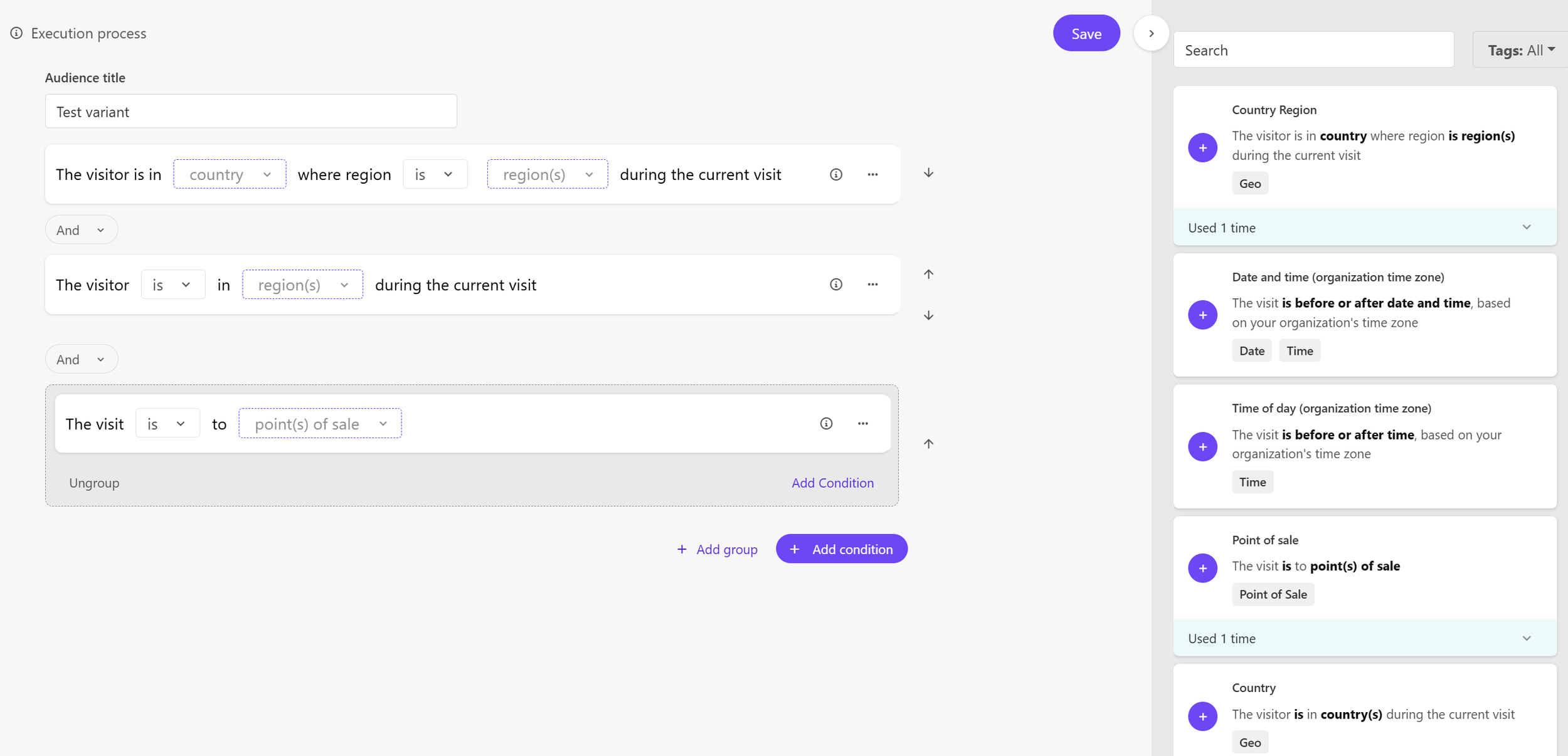
Country Region:
This rule is to the identify the user’s state only in the US and personalize their experience accordingly.
By Time
These rules are based on the time of your organization; the one that is setup for your XM Cloud instance. It doesn’t look at the local time of the user.
There are 5 rules in Sitecore XM Cloud that can be used to personalize the experience of the user based on a specific time when they interact with a site. These can be used for big releases such as during a conference, having a coupon code or promotion that’s only available for a certain time. You could :
Month of visit:
Based on which month(s) the user comes to the site, you can use this rule to showcase seasonal content, especially when combined with the location rules above. For ecommerce sites, this could be showcasing different products in different months. For a university site, this could be having different content at different periods of the admission cycle. This rule is a multi-select, allowing for multiple months in one rule, and potentially having different contents by seasonality of the business or the user’s journey.
Day of the month:
This condition can be used for any event, content, or condition that recurs during a certain period in multiple months of the year. It doesn’t have to be every month as this condition can be combined with the one above to focus on a certain day or a between a certain number of days each month. For example, you could use this rule to initiate an invoicing alert that shows up during the first few days every month.
Day of the week
The day of the week condition is the next level of granularity in the time based conditions of XM Cloud. Also, a multi-select field, this condition allows you to showcase different experiences on different days of the week. For example, you could use this condition to create a different experience for your site or page on a weekday vs weekend.
Time of day
Marketers can use the rule to show different content during different time of the day. For example, showcasing different content when the store is open vs closed.
Date and time
This is the most granular of XM Cloud time based conditions. This is the condition to use to release and expire content, promotions, etc. at a specific time. It is granular enough to time it with a Press Release or a major announcement at a conference, for example. Or it can deliver pricing specials during a certain period and automatically have the content disappear of change after the period is done.
By Website
Only one condition in Sitecore XM Cloud is focused on website location. It’s called Point of sale. Since Personalization is by pages variants in Sitecore XM Cloud at this point, it’s unclear that this condition is useful. As these are the same out-of-the-box conditions in Sitecore Personalize, it has more value in that tool.
By Referrer
Two conditions in Sitecore XM Cloud focus on referrer. A referrer, in this context, is the site they were on before they came to your website. A backlink to your website generally exists on the referrer and is a great source of tracking how users find your website, and the experience they should see based on where they came from.
First Referrer
As the name suggests, this track the referrer of the user to the visit or session rather than the page. Based on how the user found the website, the marketer can personalize the experience for the user, not just on the landing page, but on any following page of the site. For example, if a prospect to a bank or financial institution site came from a comparison site, the experience can showcase why the bank and the specific product the user landed on is better than their competitor. Also, as we know the user is interested in comparing products, the site can showcase it’s comparison tools to help the prospect select the right product for them.
UTM value
This condition is also for the entire visit, which means it is tracking how the user came to the site, and can be used to personalize not just the landing page, but any subsequent page on the site. With this rule, you can compare the UTM campaign, source, medium, or content value. For example, on a university site based on an email subscription you may know whether the user is an alumni and thus showcase only alumni focused content not just on the story they clicked on, but on all subsequent pages on the site.
By Device
There are 2 rules in Sitecore XM Cloud Personalization conditions that can look into the device of the user and display content according to the preference of the user’s device.
Device
Sitecore XM Cloud is created to be responsive to any device type. The preview mode and even the editing mode makes it easy to design by device type. However, regardless of the design, the content is the same for every device, unless you use this Personalization condition. With this condition, you can create content based on the device from which the user is viewing the website. For example, you can have content stories similar to a Tik-Tok for phones while having them look more like blog posts for those coming from a PC, and having one story in full screen mode for those coming from larger screens
Operating System
Similar to Device, the Operating System Personalization is a multi-select to allow for different content based on your device. For example, users who are coming from Android may see a link to download the app from the Google Play Store, whereas those coming from iOS may see a link to download the app from the Apple Store.
By Landing Page
The Personalization condition to check the landing page of a user is called First Page. This tracks the visitor’s landing page for the entire visit or session, not just the current page they are on. Combined with the two referrer rules, this rule could be extremely effective in where the user came from and what they are looking for. Similar to the referrer example, if a bank prospective user comes from a comparison site and lands on a specific checking account page, we can infer that the user was comparing checking accounts. With this information, we can target messages to the user comparing and showcasing the value of the checking accounts at this bank as compared to competitors, not just on the product page where the user landed but on all subsequent pages in their visit or session.
By Page View
There are two conditions in Sitecore XM Cloud Personalization focused on page views. These are the conditions to leverage to create a persona of a user, similar to what we had in Sitecore XP’s Personalization Engine.
There are two ways to box a user into a persona, and the two conditions model these two methods.
Page View
If you are certain that visiting one page indicates interest, then this is the condition to use. For example, if you have a user visit a product page and not buy the product, you may not need them to visit any more products to target the user and focus on just the one product where they showed interest. This rule can be leveraged as a constant reminder on subsequent pages and visits of the user that they were interested in a specific product and continue to showcase the value of the product and the benefits of the product to the user.
Number of Page Views
This condition is more similar to what existed in Sitecore XP. The Number of Page Views condition looks at not just a single page that the user visited but in how many days and how many times. This condition ensures that the user has shown not just interest but engagement with the page or product, and also allows you to decay the interest over time, if the user hasn’t shown interest in that page or product after a certain number of days.
By Visitor Type
New and returning users to a site have very different motivations. This is a simple get started condition, if you are unsure of any other use cases. Think of the journey of a new user to your site, and what does becoming aware of your brand, your products, your content look like. In contrast, a returning user has already shown engagement by seeking you out again. The focus with a new user is to reduce the bounce and show them content on that first page load that will get them to stay and be curious for more. With a returning user, the focus is on engagement, showcasing the value of the product, and making the argument for the next step.
This focus on simple journeys of new and returning visitors can make the “New or returning visitor” condition a great stepping stone into Personalization with Sitecore XM CLoud.